 Alex Johnson
Some screenshots are close replicas of my actual work and are not taken from client projects. Actual screenshots are only posted where I have been given explicit permission to share.

Power Apps
Personnel
One of the first projects I worked on at PMI was improving their personnel records. This includes logging staff lateness and sickness, and extends to recruitment of new staff.
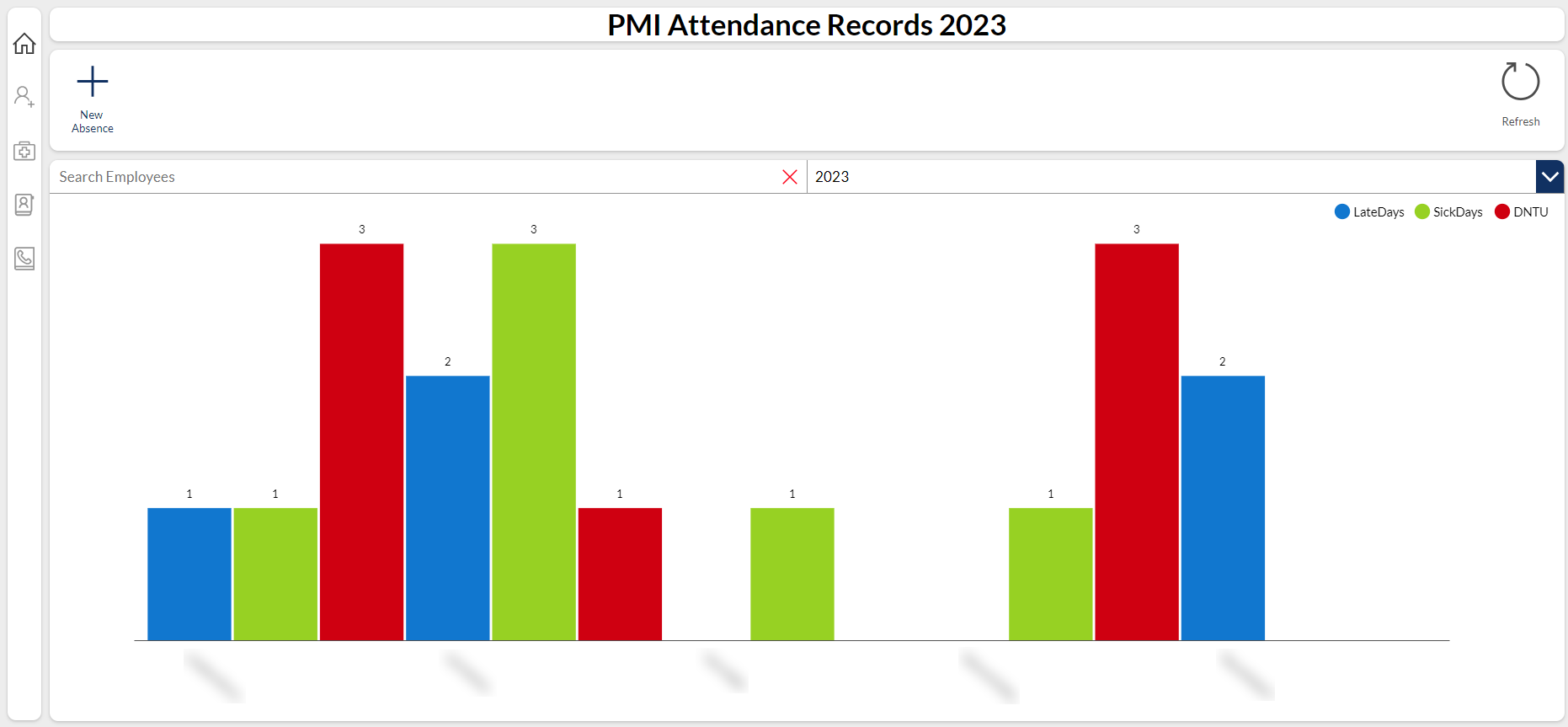
Attendance Records
Column chart showing the employees with recorded absence in 2022.
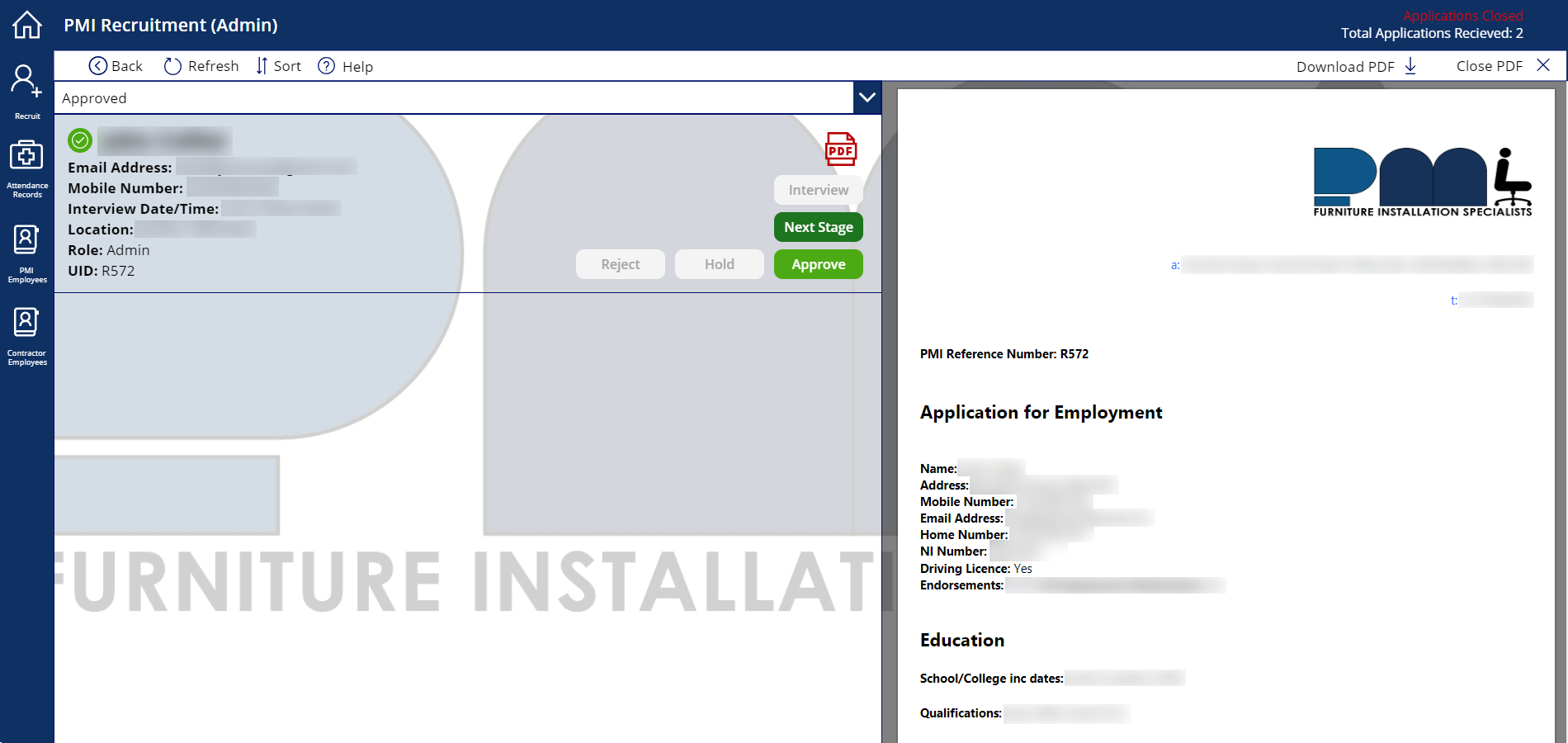
Recruitment
Recruitment page showing an application with a PDF generated by Power Automate.
Jobsheets
Picking up an existing app, expanding upon it and adding lots of quality of life features. This included a way to pack multiple jobs into one job for a client, and a new way to dynamically edit and add expenses to a job in tandem with the mobile app.
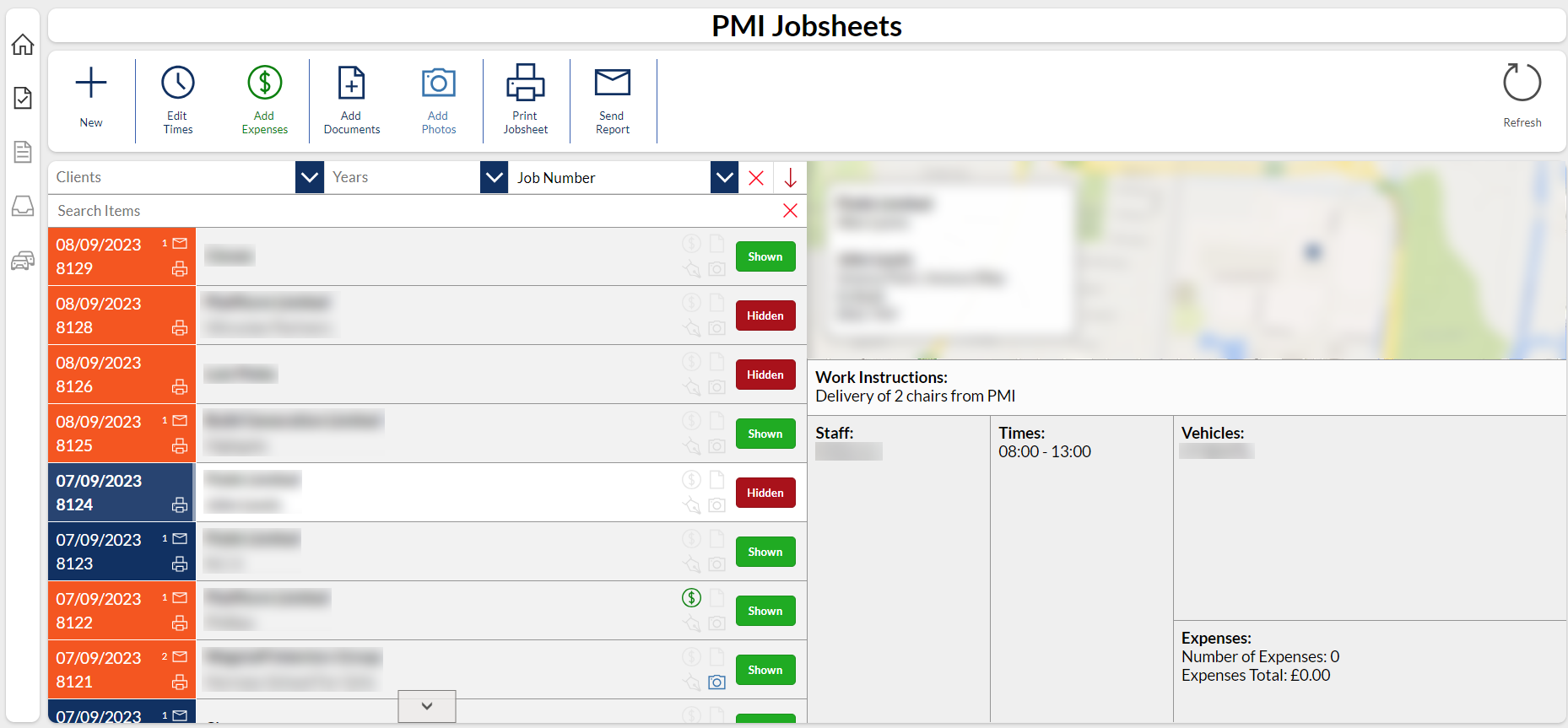
Viewing all Jobs
Viewing all jobs and their details, which includes location, employees, vehicles, hours, etc.
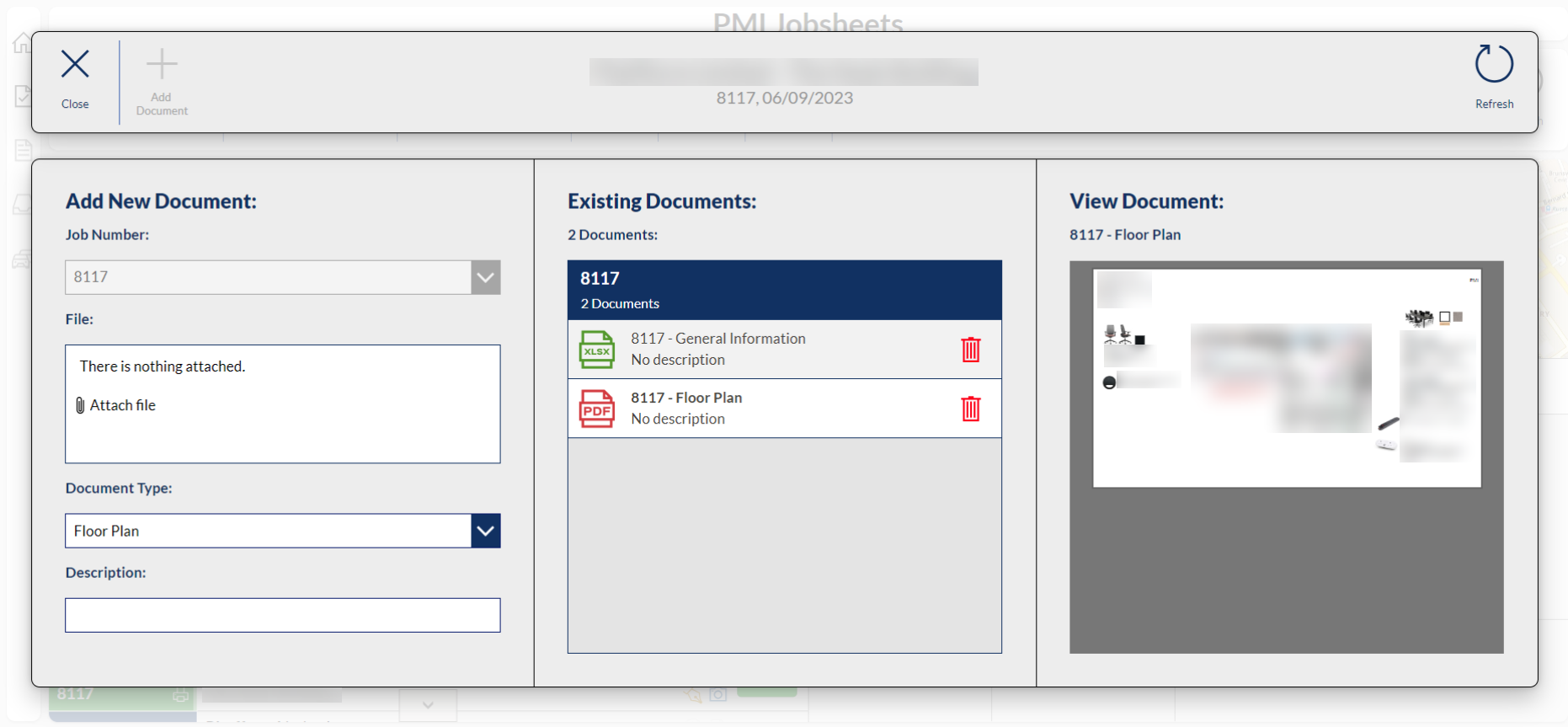
Adding Documents
After creating a job, the office can add relevant documents (such as floor plans or manuals) to the job for installers to see on their mobile app.
Mobile App
The mobile app is the most essential piece in the PMI Power Apps puzzle as it forms the bridge between staff on-site and the office. It conveys essential information such as images from jobs, staff absence which links to the personnel desktop app, and job expenses.
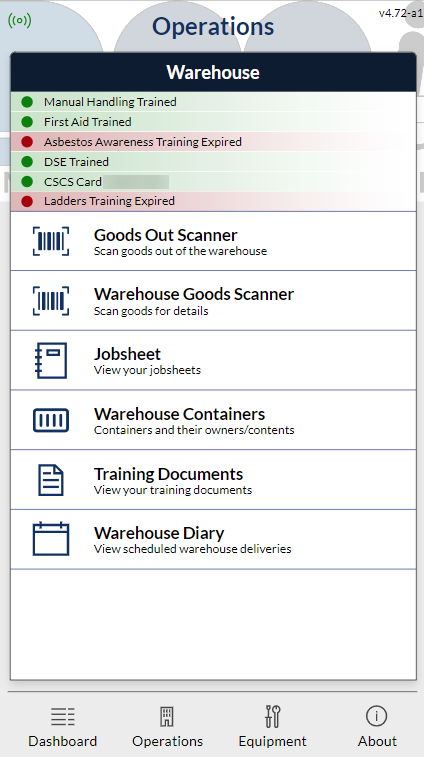
Operations View
The page where fitters and warehouse staff can access various parts of the app.
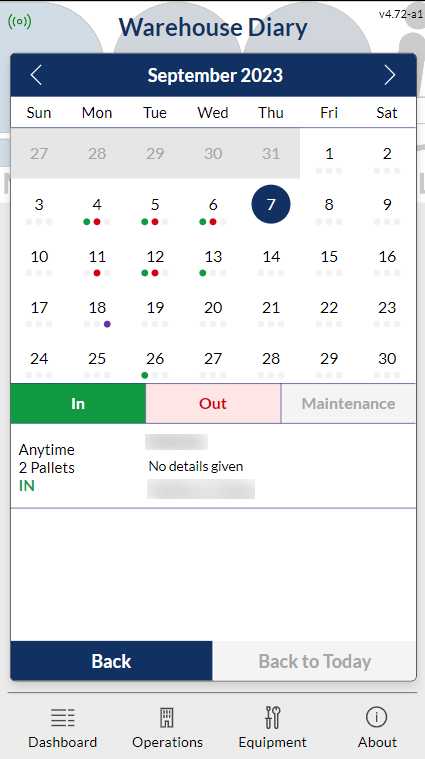
Warehouse Diary
Warehouse staff can view scheduled deliveries.
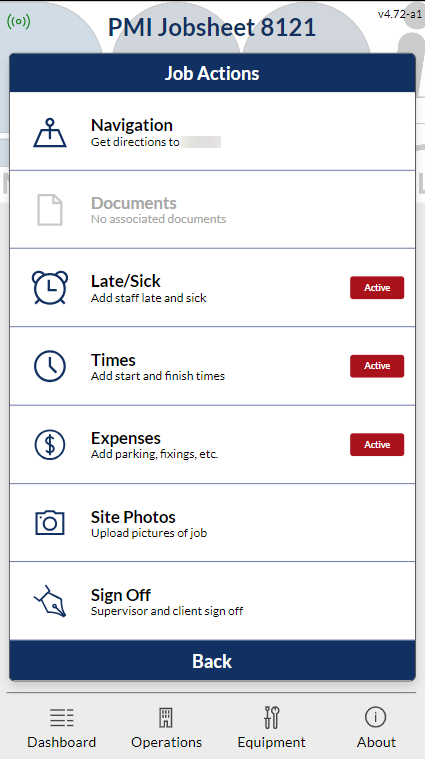
Supervisor Jobsheet View
Supervisors can upload information for the office. This includes pictures of the job, expenses, staff records, etc.

All Staff Training
Admin staff can view employee training to see which training is expiring soon or has already expired.
Property Schemes
This is a solution which manages work within properties. The solution is in a model-driven app and is very quantitatively driven. This means metrics, pricings and plenty of client correspondence logging.
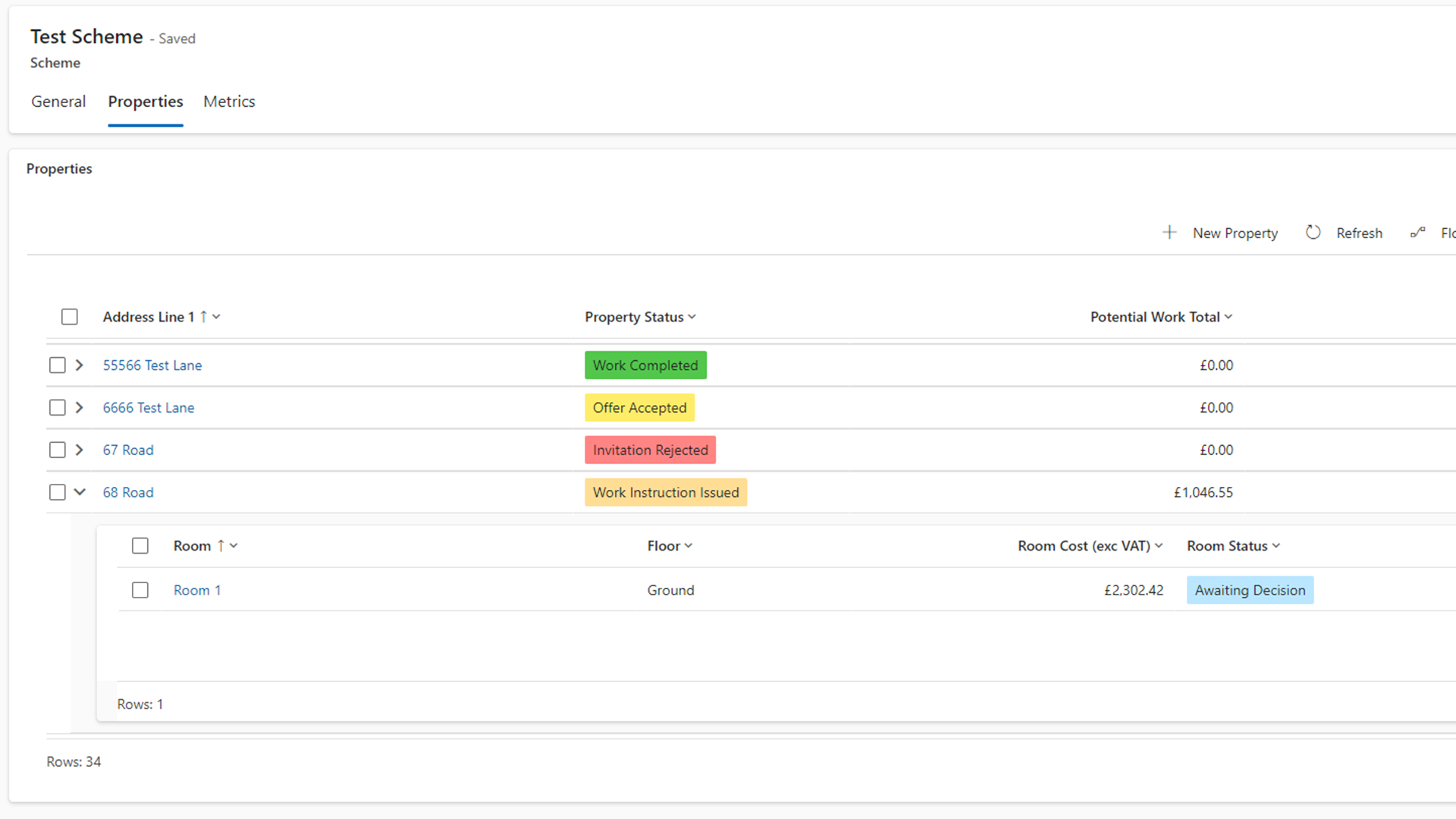
Nested Subgrids
For tables with deep linear relationships, I opted to use some nested subgrids to help user experience.
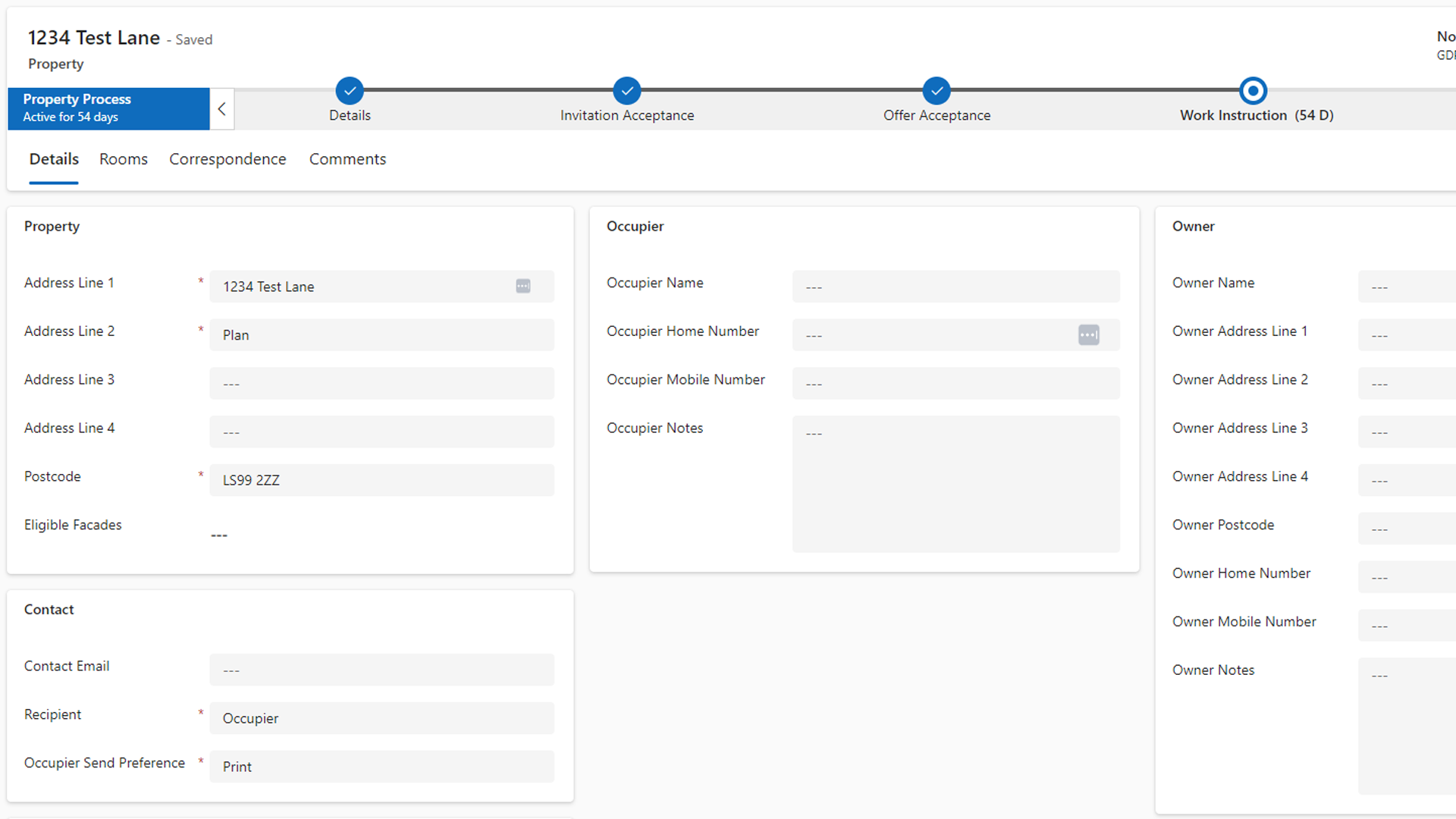
Business Process Flows
Using business process flows to help guide the user through the stages, with automatically updating statuses using workflows.
Highway Register
A fairly simple solution which logs different highways, footpaths, streets, etc. These are maintained in the model-driven app and are exported to a SQL database for a frontend using Lakehouse.
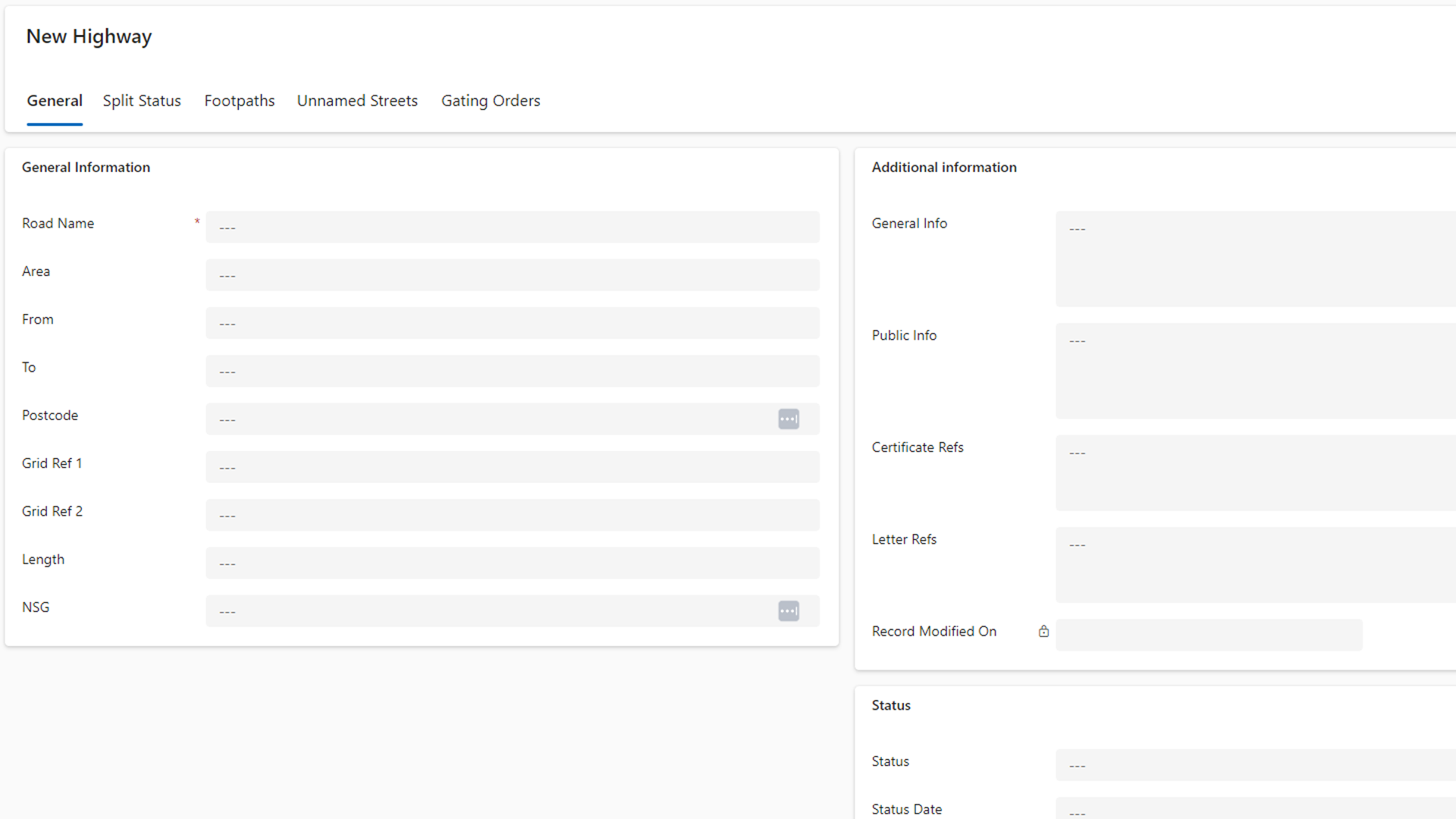
Forms
Using forms to enter data to Dataverse. These are customised and allow for easy data entry and editing.
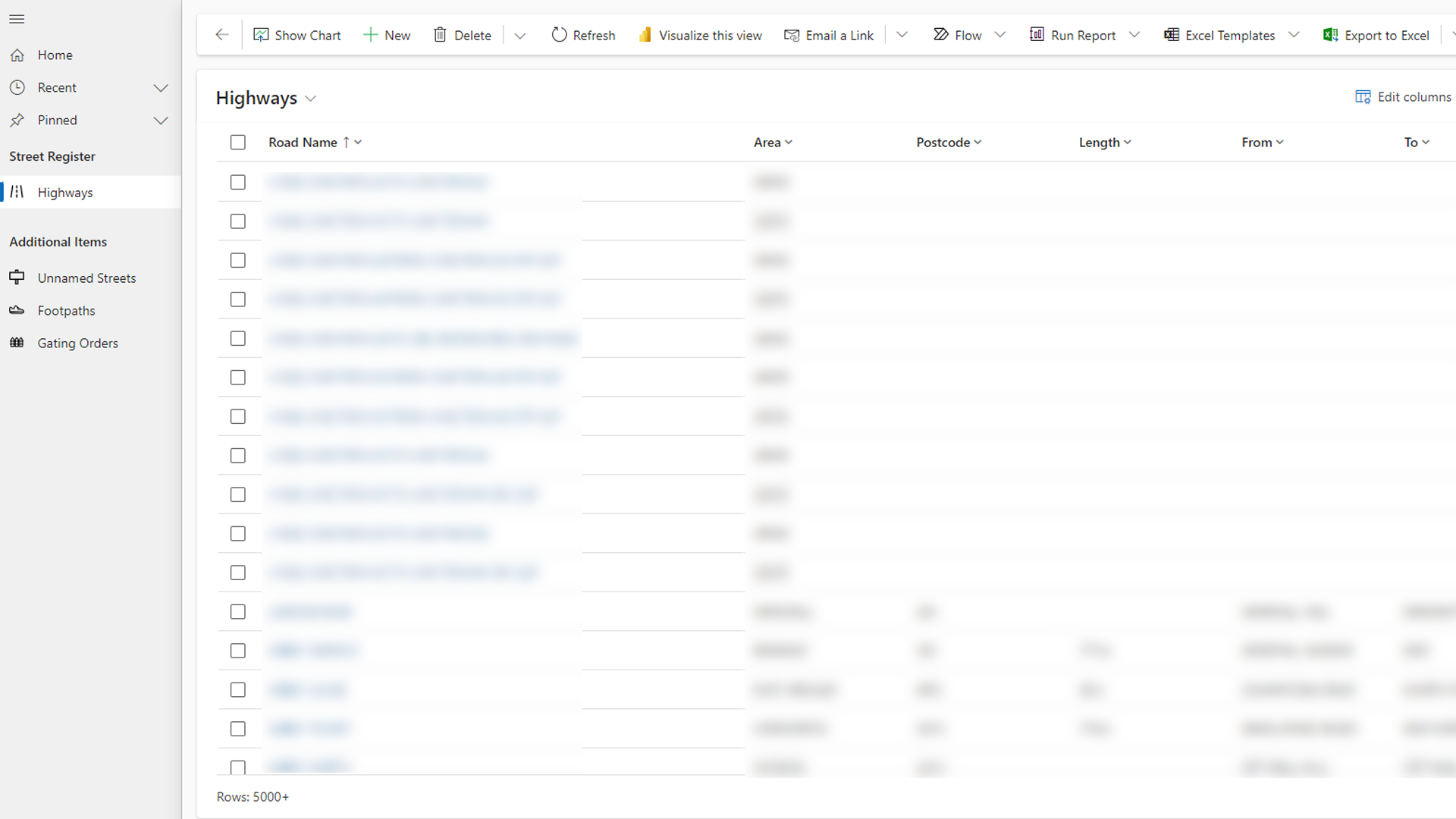
Views
Customised main views to display the data. These were arranged with the user, and use out-of-the-box functionality.
JS Web Resources
Some solutions required a little extra customisation, and using JavaScript web resources comes in handy. These are used across most of my model-driven app solutions, though here are two which are important.
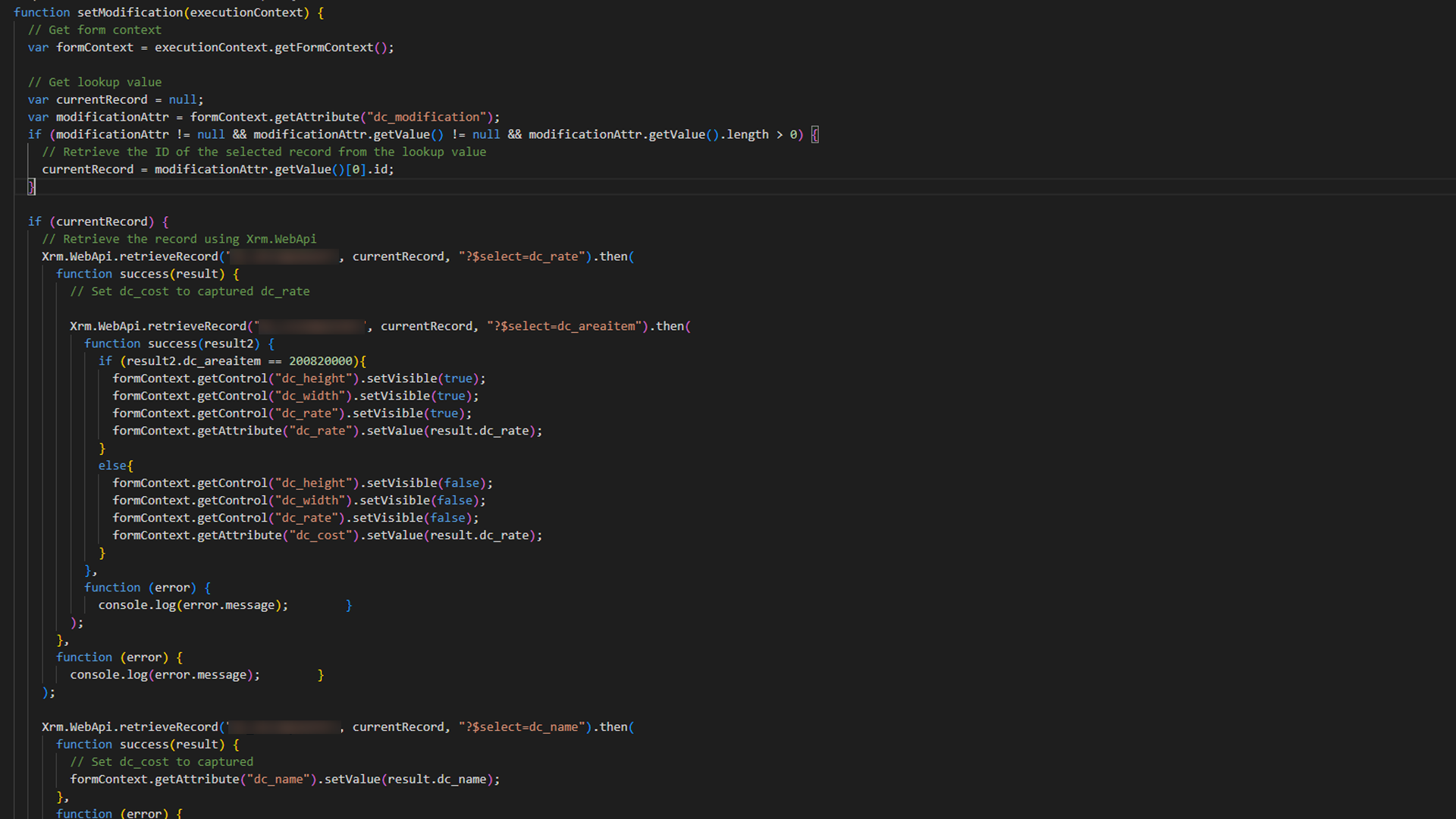
Forms
This would determine if an item is a fixed price or if it is based on an area cost. Would show/hide the relevant fields and lock the price based on when the user entry is made.
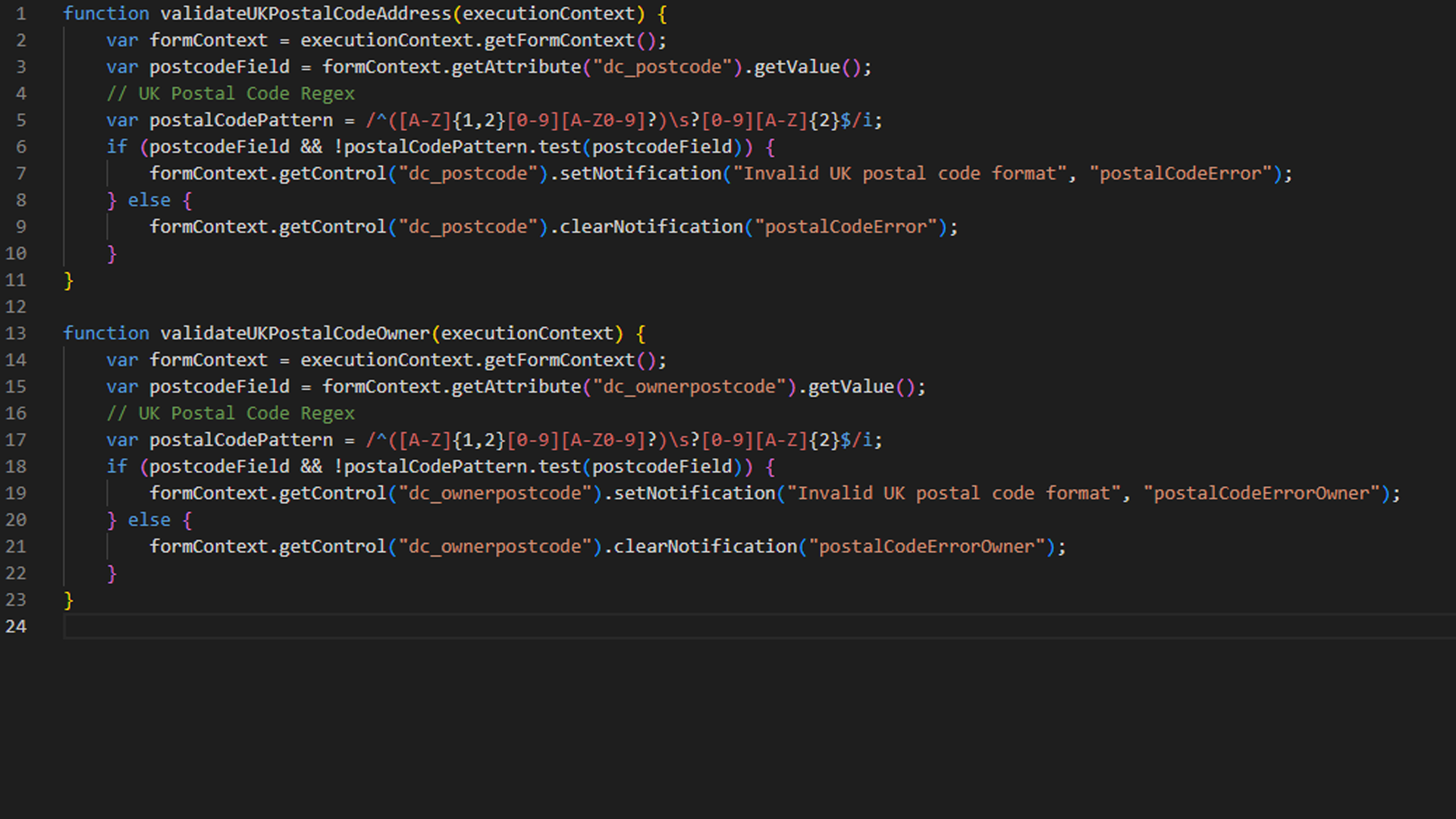
Views
Using regex to conform certain fields to certain specifications. This was used for postcodes, email addresses and number fields using the "single line of text" format.

Power Automate
Warehouse Reports
An issue from management was an influx of deliveries in the warehouse. They needed some data about specific clients between specific time periods. I used data from SharePoint to generate a report in Power Automate.
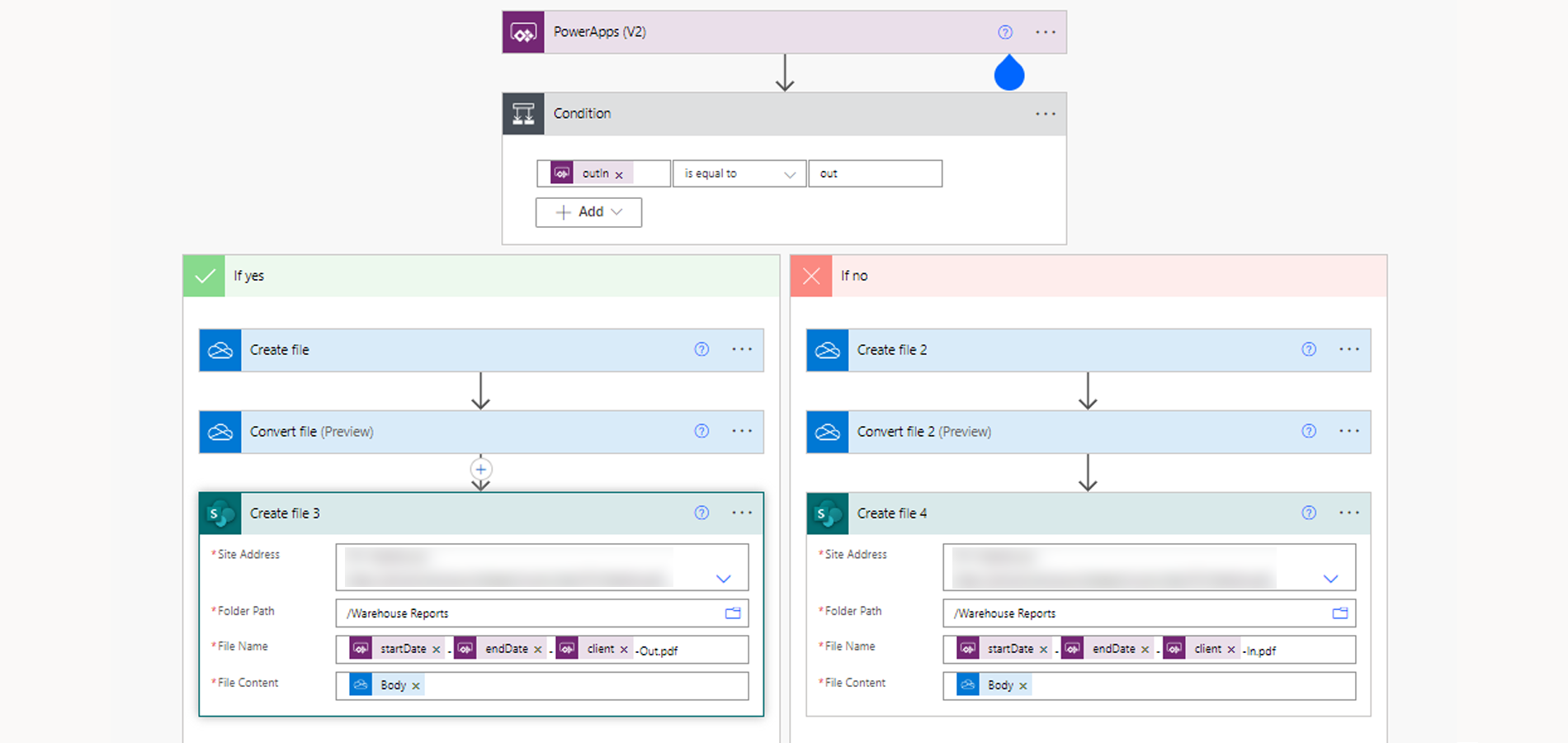
Flows
Automate flow which takes data from SharePoint and Power Apps to generate a report and save it to SharePoint.
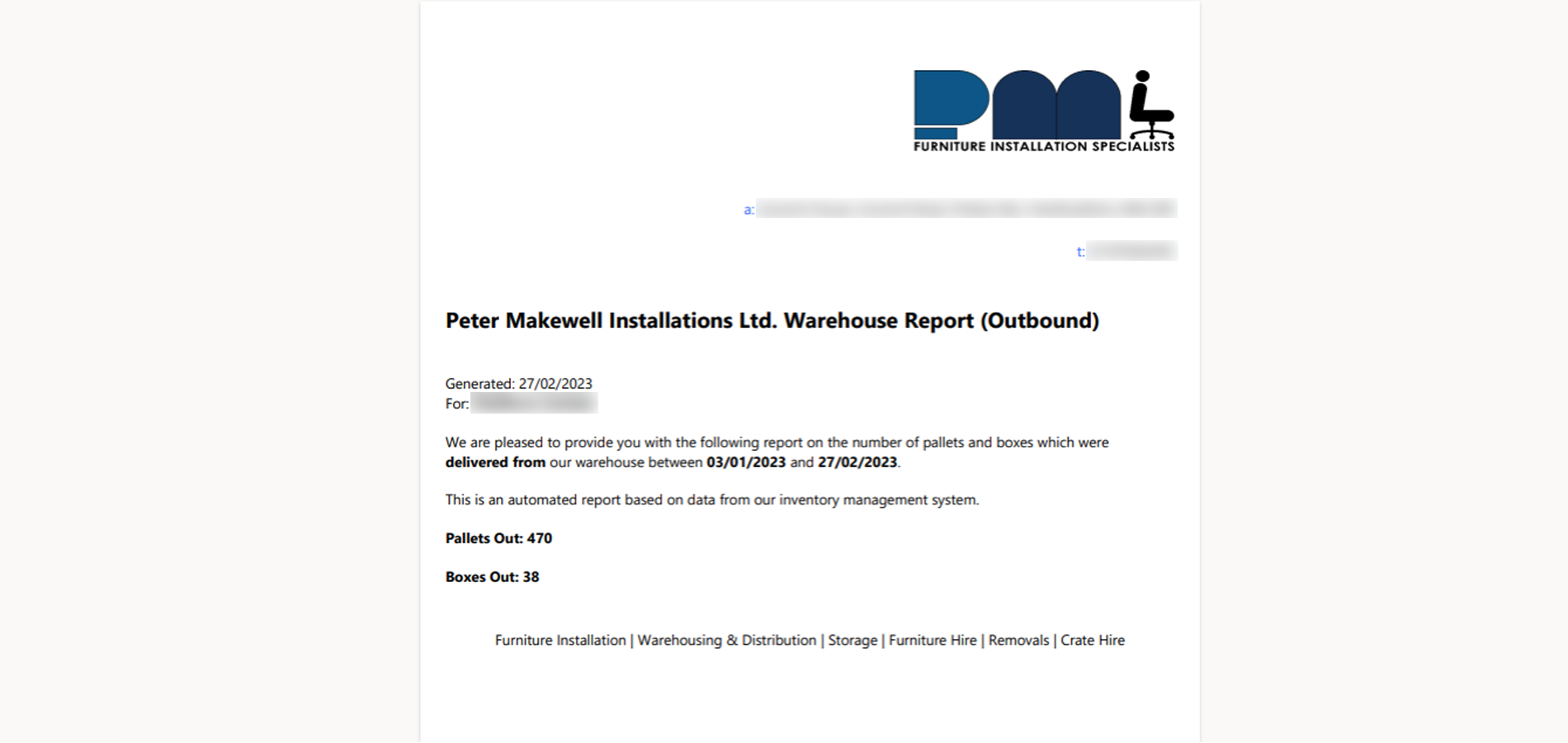
Warehouse Report
The warehouse report which was created by Power Automate. The document was created in HTML and converted to and stored as a PDF.
Recruitment
Creating a system which can generate a report of an employee had a few technical challenges but works great. The flow generates a report using HTML with all of the information the applicant puts into the Microsoft form. This is then converted to a PDF, saved to SharePoint and is then viewable in Power Apps. It also automatically emails the applicant on the progress of their application, whenever staff change the progress of their application within Power Apps.
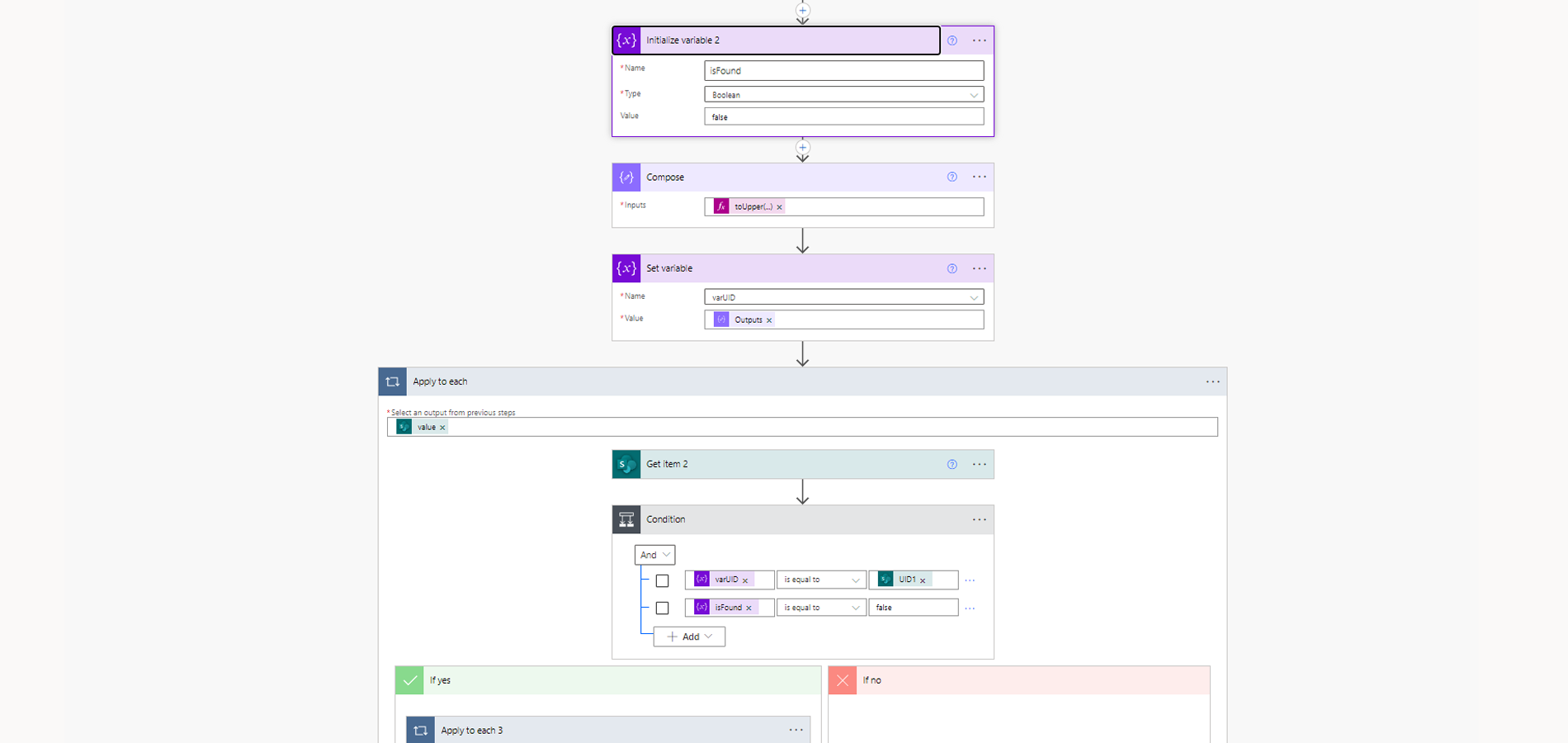
Flows
Automate flow which takes data from a Microsoft Form, generates a report and saves it to SharePoint.
Recruitment Report
The recruitment report which was created by Power Automate. The document was created in HTML and converted to and stored as a PDF. It is then viewable in the Power Apps canvas app.
API Calls for Rollups
Microsoft says using rollup columns can have a 12 hour delay. This is not ideal for solutions where figures are required instantly. Here, using a HTTP block, we're calling rollup column recalculations automatically when required to mitigate the potential delay.
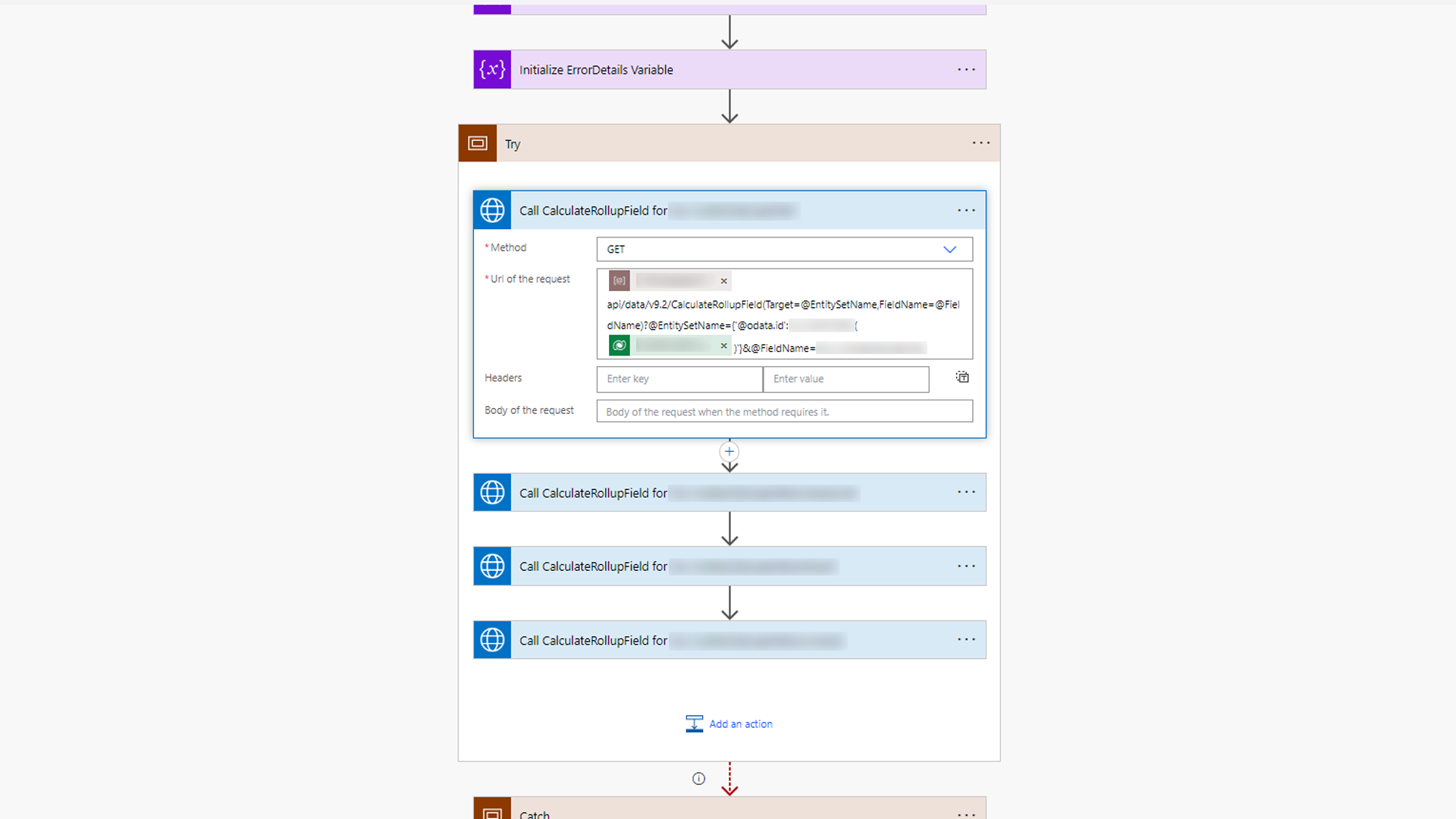
Call the 'CalculateRollupField' API
These are called and automatically update the rollup field in the correct environment (using an environment variable).
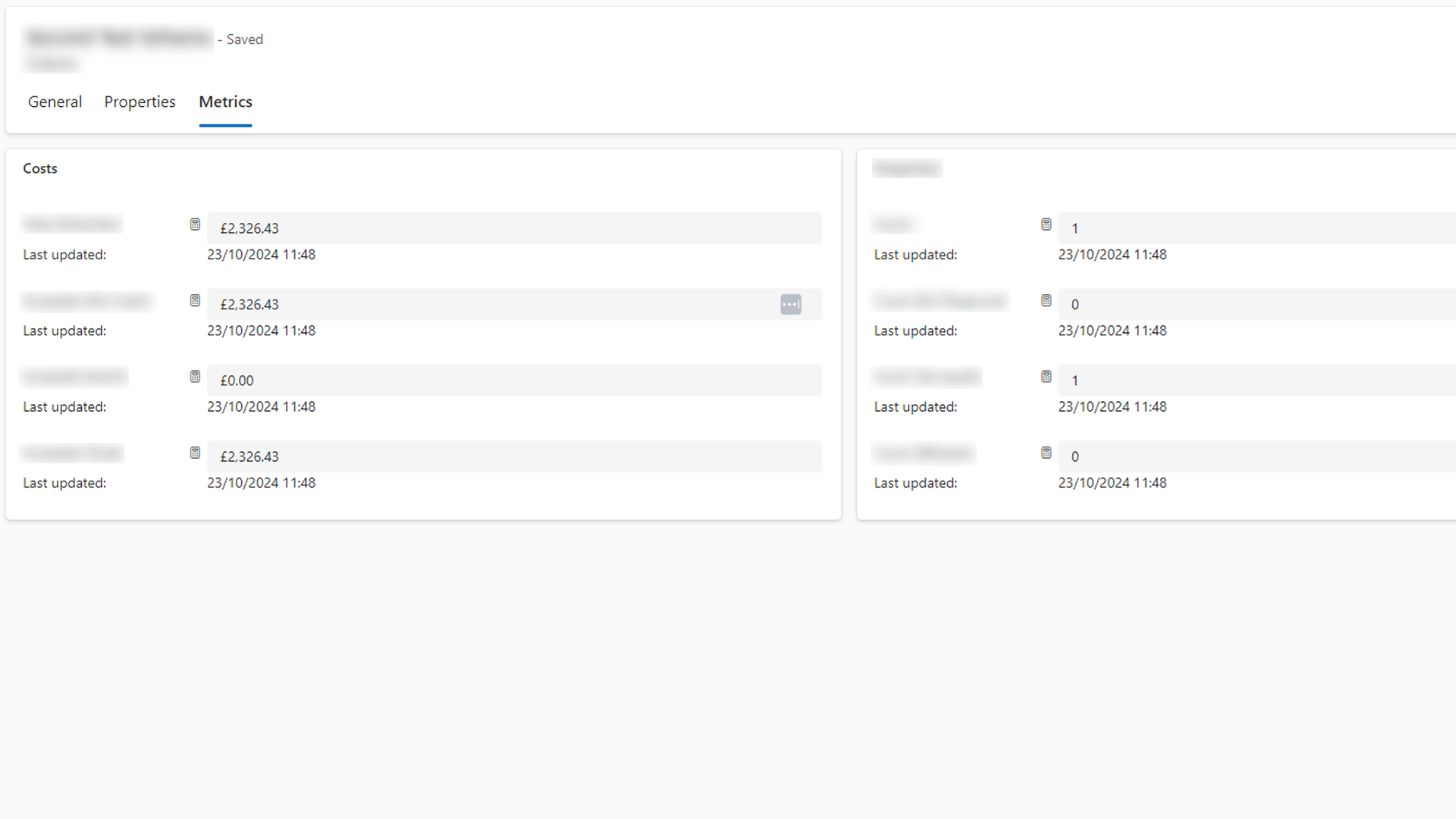
Figures in MDA
The rollups are shown in the app. They can always be recalculated on demand using the calculator button.
Dataverse Emails
Using activity tables to integrate Dataverse emails into a model-driven app.

Word Templates and Emails
The Word template blocks are used here and are converted into attachments using the attachment table. They're then added to our Dataverse email table, using the email activity table.
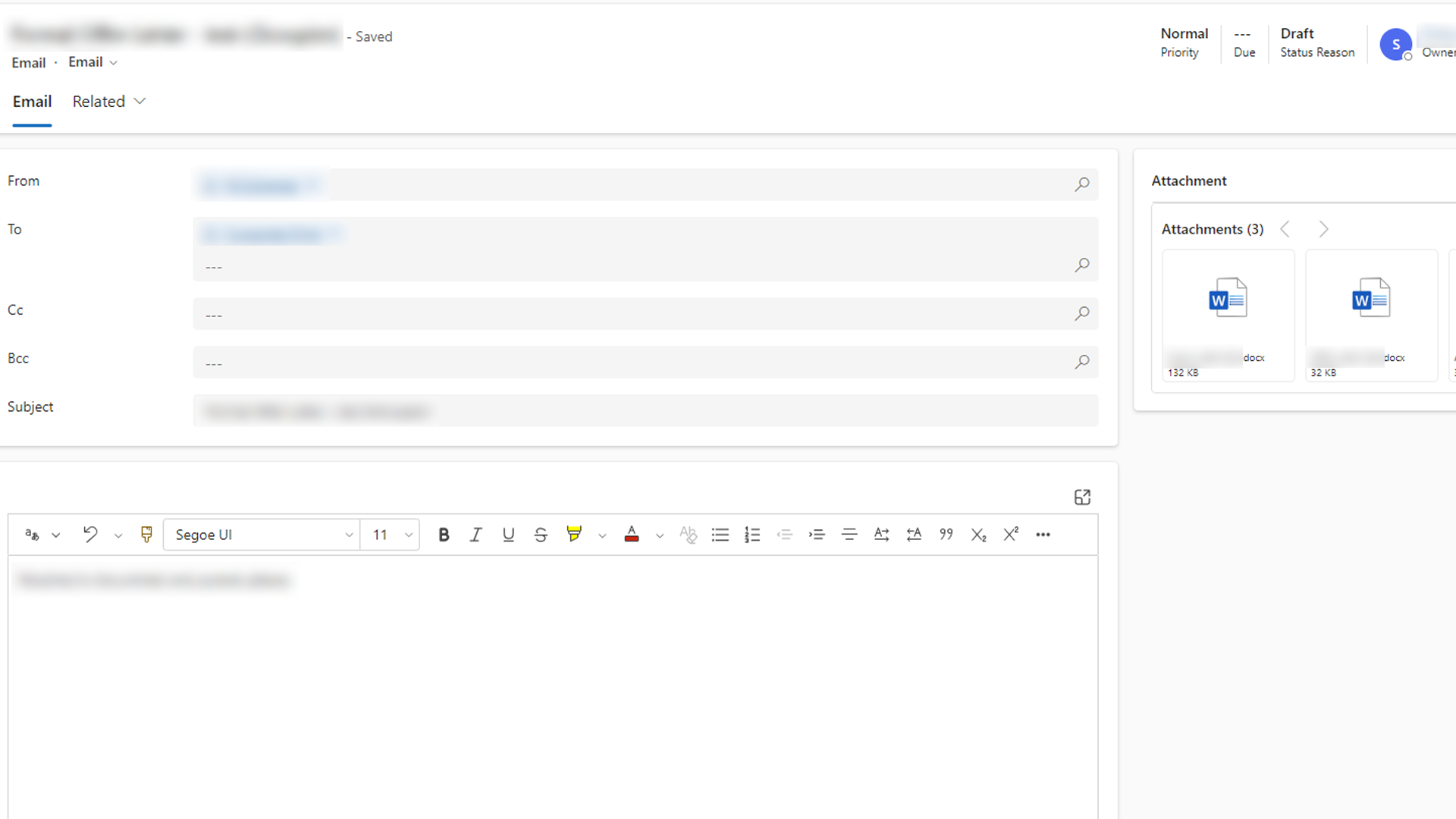
Readable Emails in MDA
The emails and their attachments are readable in the app. They are using a queue so held emails can all be sent at once by triggering the queue. The status of these emails is shown in the MDA.
Error Handling
Using best practices in Power Automate to catch errors. These reports, sent by email, are then useful to debug and resolve errors.
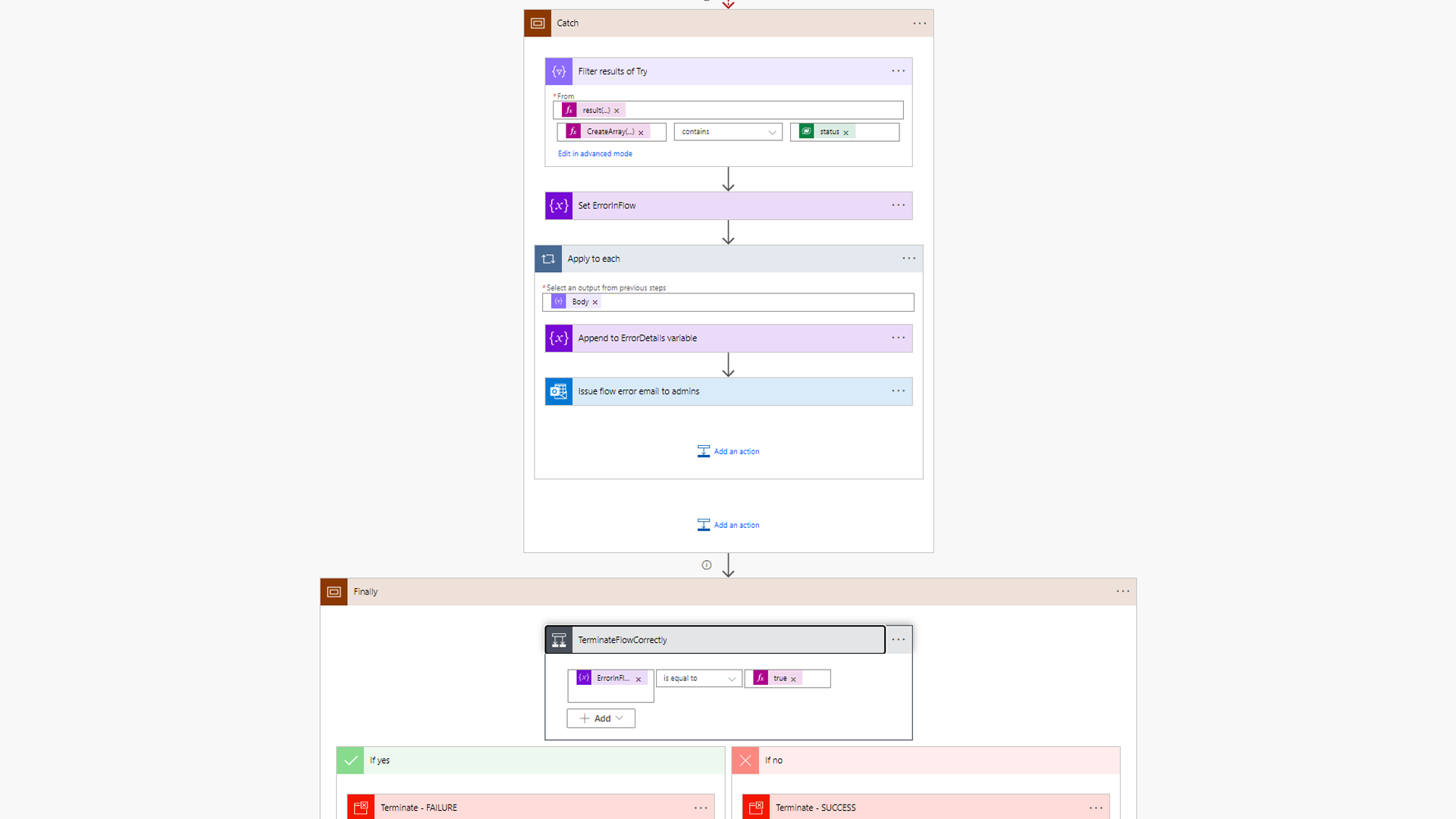
Scope Blocks to 'Try-Catch-Finally'
Using scopes to differentiate the parts of the flow. Try being the main bulk, catch being our email and finally to terminate.
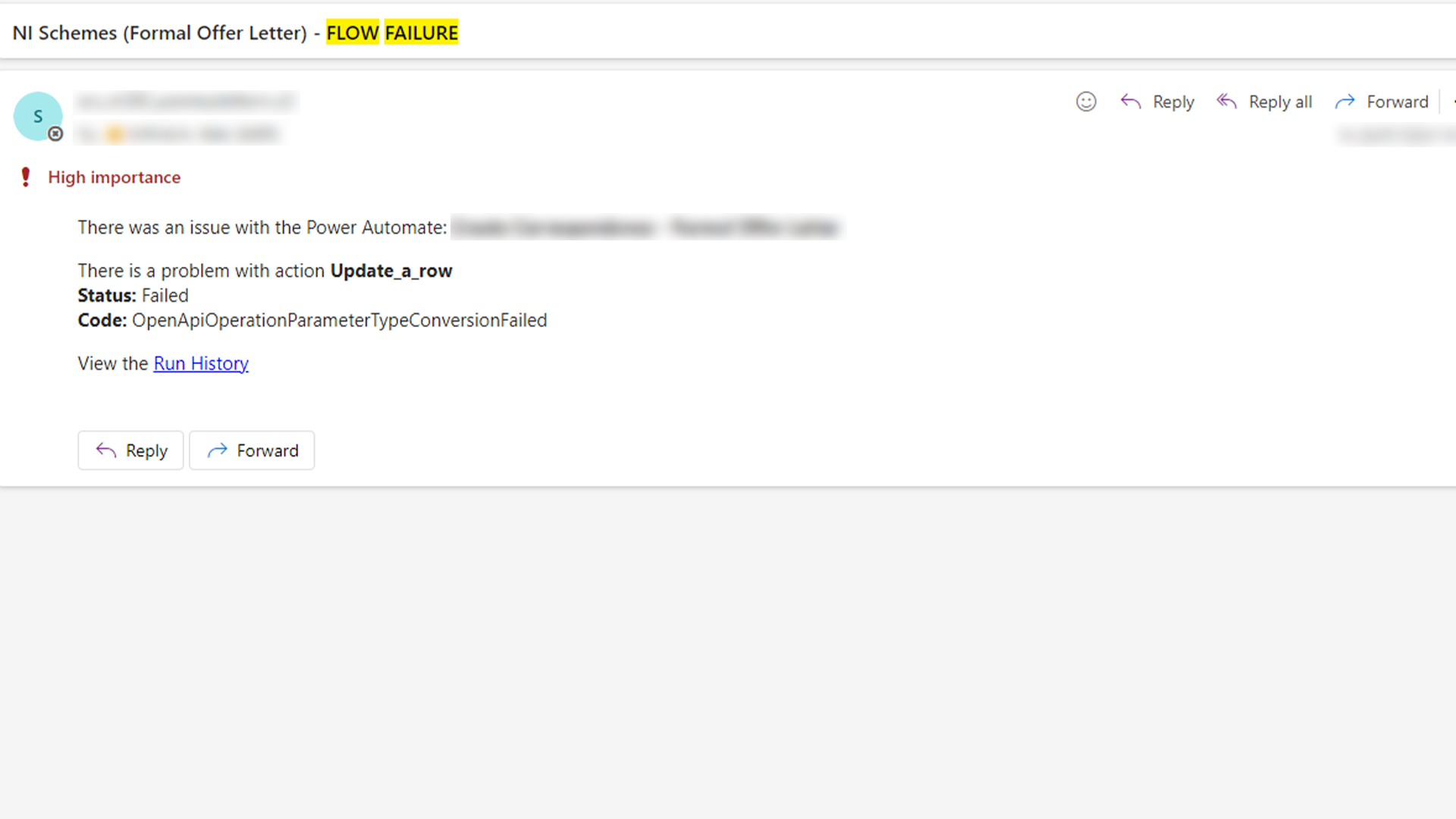
Outlook Notification
When a flow fails, get an email with the details and a link to the relevant run history.